
How to Be More Productive: A Direction-First Method
I built an Inc. 5000 company while feeling completely stuck for the first two years. Calendar packed. To-do list color-coded. Pomodoro timer running most afternoons. Nothing moved the needle.
The fix wasn’t a new app or a better system. It was direction.
Once I knew exactly what I was building toward, the same techniques I’d already tried started actually working. That’s the whole premise here: set direction first, then apply the right technique for the job.
If you’re working hard and still losing ground, you’re not missing a hack. You’re missing a target.
The Real Reason Productivity Techniques Stop Working
Here’s the pattern I see constantly, and lived through myself: someone feels behind, so they add more structure. A new app. A stricter morning routine. A sharper to-do list. For a week or two, it works. Then it quietly stops. They assume the technique was flawed and go hunting for the next one.
The actual problem is simpler. They never decided what matters. Without that decision, every task looks equally urgent, so the calendar fills with whatever is loudest, not what’s most important.
Busywork Dressed as Productivity
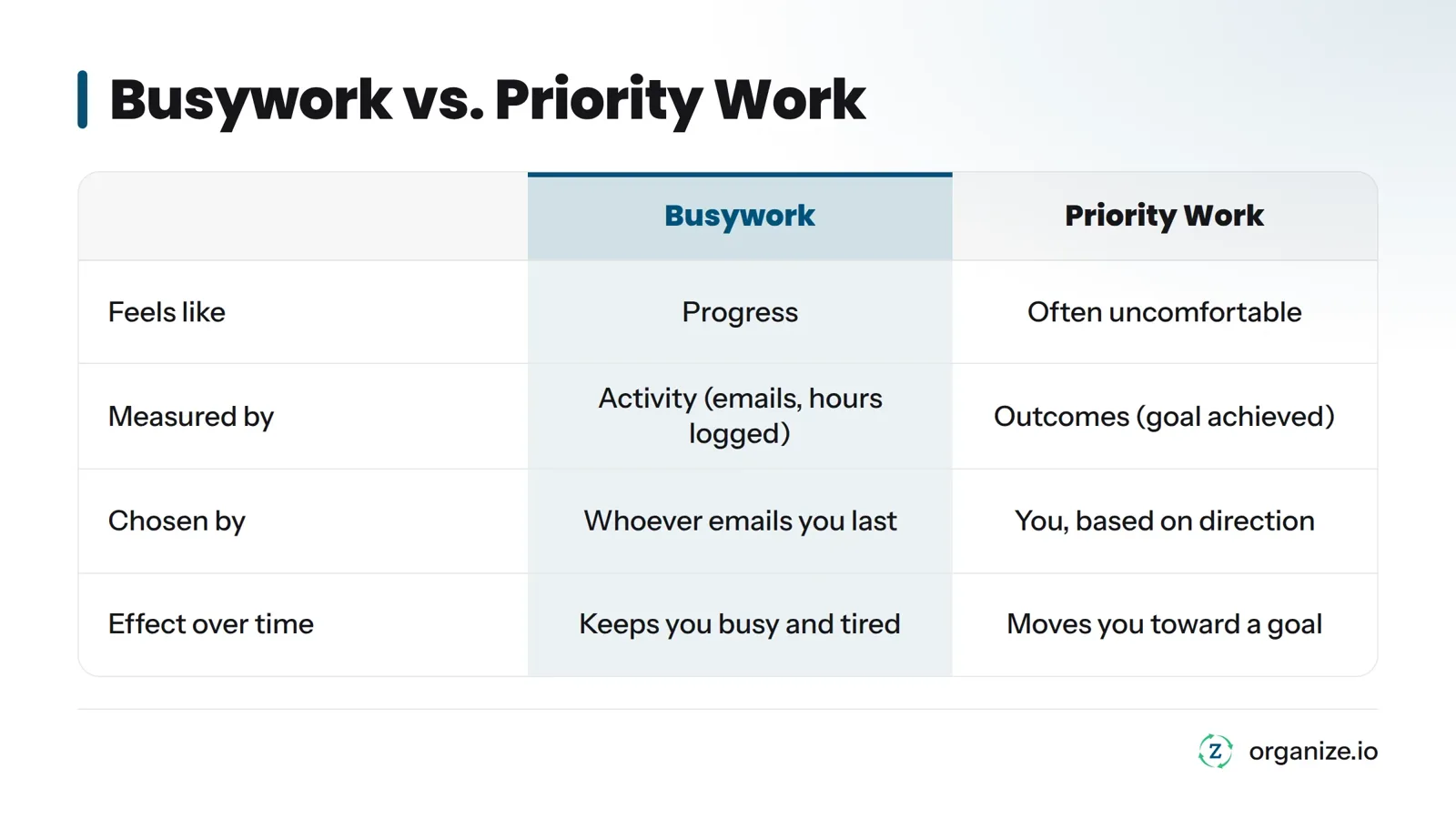
Busywork feels productive because it’s measurable. You answered 40 emails. You checked 12 boxes. You sat in three meetings. But none of that activity has to connect to a real outcome.
Priority work is different. It’s the small number of tasks that actually move you toward something you chose on purpose.
| Busywork | Priority work | |
|---|---|---|
| Feels like | Progress | Often uncomfortable |
| Measured by | Activity (emails sent, hours logged) | Outcomes (did the thing that mattered get done) |
| Chosen by | Whoever emails you last | You, based on your direction |
| Effect over time | Keeps you busy and tired | Moves you toward a goal |
If you can’t say in one sentence why today’s top task matters to a goal you actually care about, there’s a decent chance it’s busywork.
Why Your Favorite Productivity App Fades After Three Weeks
Time blocking works. The Pomodoro Technique works. The Eisenhower Matrix works. I’m not knocking any of them. But they’re tactics, not strategy. A tactic answers “how do I execute.” It can’t answer “execute toward what.”
When you apply a great technique to a task list that was never filtered by direction, you just get more organized busywork. That’s why the initial motivation boost fades: the system starts producing the same disconnected results, just more efficiently.
The Direction-First Method: Five Pillars in Order
I built this sequence out of necessity while scaling a company, not from theory. Each pillar answers a question the previous one can’t.
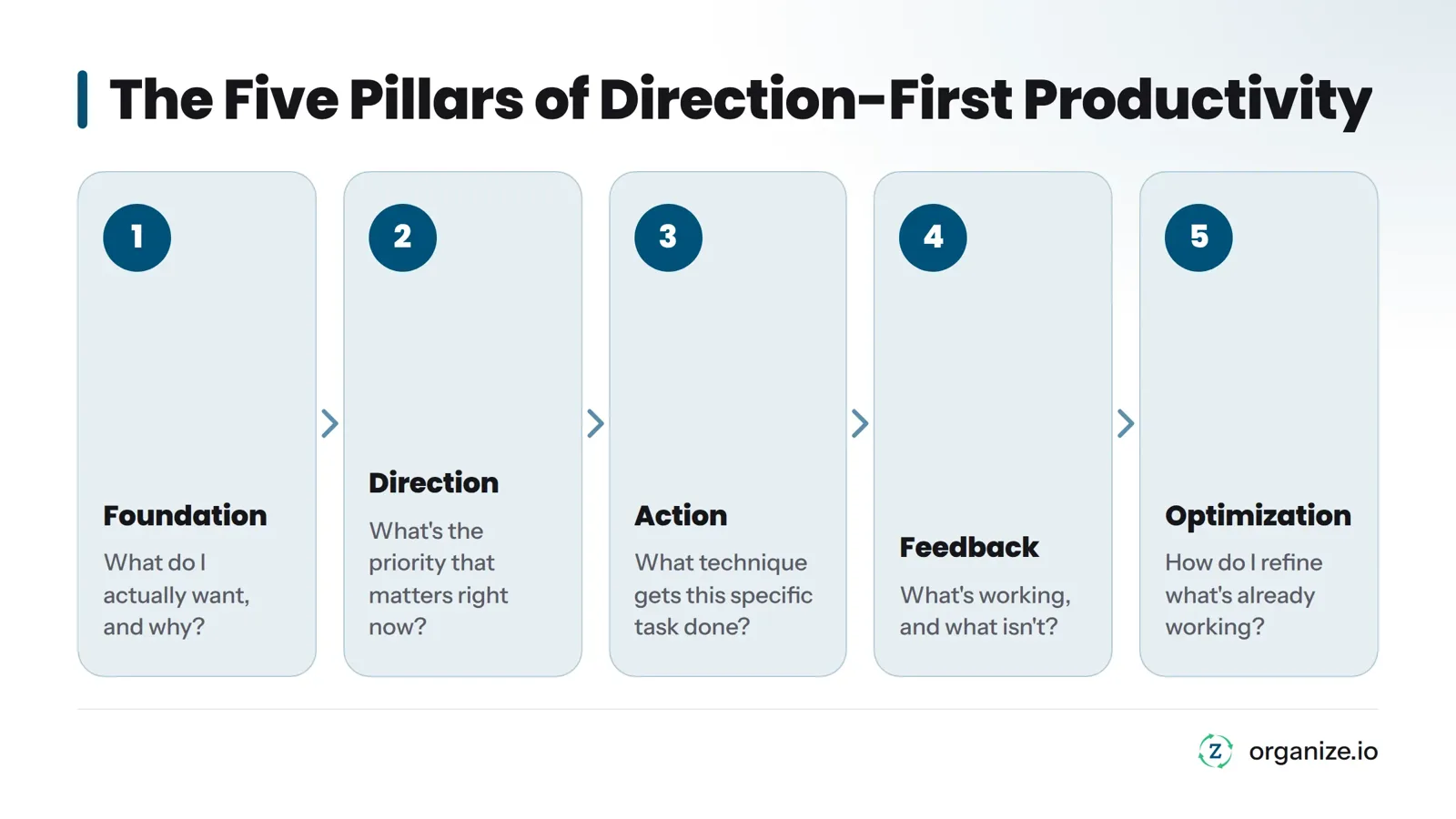
- Foundation - What do I actually want, and why?
- Direction - What’s the priority that matters right now?
- Action - What technique gets this specific task done?
- Feedback - What’s working, and what isn’t?
- Optimization - How do I refine what’s already working?
The order is not arbitrary. You can’t set a real priority (Direction) until you know what you’re aiming for (Foundation). You can’t pick the right technique (Action) until you know what you’re prioritizing (Direction). You can’t improve a system (Optimization) that you’ve never checked for feedback. Skip a pillar and the ones after it are built on guesswork.
| Pillar | What It Answers | Example Technique |
|---|---|---|
| Foundation | What matters to me and why | Vision setting, values clarification |
| Direction | What’s the priority right now | Goal setting, prioritization |
| Action | How do I execute this task | Time blocking, Pomodoro Technique |
| Feedback | What’s working or failing | Weekly review |
| Optimization | How do I refine what works | Habit refinement, system tuning |
This is the logic I built into the Zorga system: direction before tasks, always. A task manager alone can’t fix a direction problem.
Step 1: Build Your Foundation Before You Optimize Anything
Foundation is the pillar everyone skips because it feels slow. It’s not a task list. It’s the short, honest answer to: what am I actually trying to build, in work and in life?
This doesn’t need a week-long retreat. It needs to be real. Ask yourself:
- What does a genuinely good year look like for me, not for my boss or my inbox?
- Which parts of my current work actually connect to that?
- What would I stop doing immediately if I were being honest with myself?
Skip this step and every later technique inherits the problem. You’ll organize your day around someone else’s priorities, apply a great focus technique to the wrong task, and still end the day exhausted and behind. I’ve watched talented people burn two years chasing productivity hacks while never once asking what the hacks were supposed to accomplish.
Step 2: Set Direction So Effort Has a Target
Once your Foundation is honest, Direction turns it into something usable day to day: specific goals and a ranked priority.
Direction means being able to answer every single day: what is the one thing that, if I did nothing else, would still count as a win today? Not three things. One. If everything on your list feels equally urgent, that’s a sign you haven’t actually set direction. You’ve just copied down everyone else’s requests.
This is exactly the gap the Compass closes. It’s a goal-setting and vision tool that forces you to define direction before you ever touch a task list, so your Daily Action Plan is built on an actual priority instead of whatever showed up in your inbox first.
Step 3: Take Action With the Right Techniques for the Job
This is where time blocking, the Pomodoro Technique, and the Eisenhower Matrix finally earn their keep. Once you know your priority, the question becomes purely tactical: what’s the best way to execute this specific task today?
- Big, undisturbed focus work: block dedicated time on your calendar and protect it.
- Repetitive or dread-inducing tasks: short timed sprints keep momentum without burnout.
- A pile of competing demands: sort by urgency and importance before you touch any of them.
Signs you’re ready to add a technique:
- You can name today’s top priority in one sentence.
- You know which task is actually hard to focus on versus just unpleasant.
- You’ve picked one method to try for at least a week.
- You’re not switching apps or planners out of frustration more than once a month.
If any of those aren’t true yet, go back to Direction before you add another tool.
Step 4: Use Feedback to Catch What’s Not Working
Here’s the step almost nobody does consistently: checking whether any of this actually worked. Feedback is a short, honest look back, usually once a week, at what moved you forward and what quietly turned into busywork again.
A weekly review doesn’t need to be complicated. Ask three questions:
- What did I actually get done that connected to my real priority?
- Where did I slide back into busywork, and why?
- What’s the one adjustment I’ll make next week?
Skip this step and you drift back into busywork without noticing, because nothing is checking your direction against your actual output. The Weekly Review inside Zorga is the single habit that’s saved me from falling back into “looks productive, isn’t” mode more than any app or timer.
Step 5: Optimize Once Direction and Action Are Solid
Optimization is refining what already works. It is not fixing what’s broken; that’s Feedback’s job. By the time you reach this pillar, your Foundation is honest, your Direction is clear, your Action techniques fit the work, and your Feedback loop is catching problems early. Now you’re tightening the system: maybe you shift your focus blocks earlier in the day because your Weekly Review showed your energy drops by 2pm, or you drop a technique that never stuck and replace it with one that does.
The mistake I see constantly is people trying to optimize a system that has no direction yet. They’re testing their to-do list app while still unclear on what they’re actually trying to accomplish this quarter. That’s polishing a car with no destination. Get the first four pillars solid first.
Which Pillar to Start On, Based on Where You’re Stuck
Most people already know, somewhere in their gut, which pillar is the problem. Here’s how to confirm it.
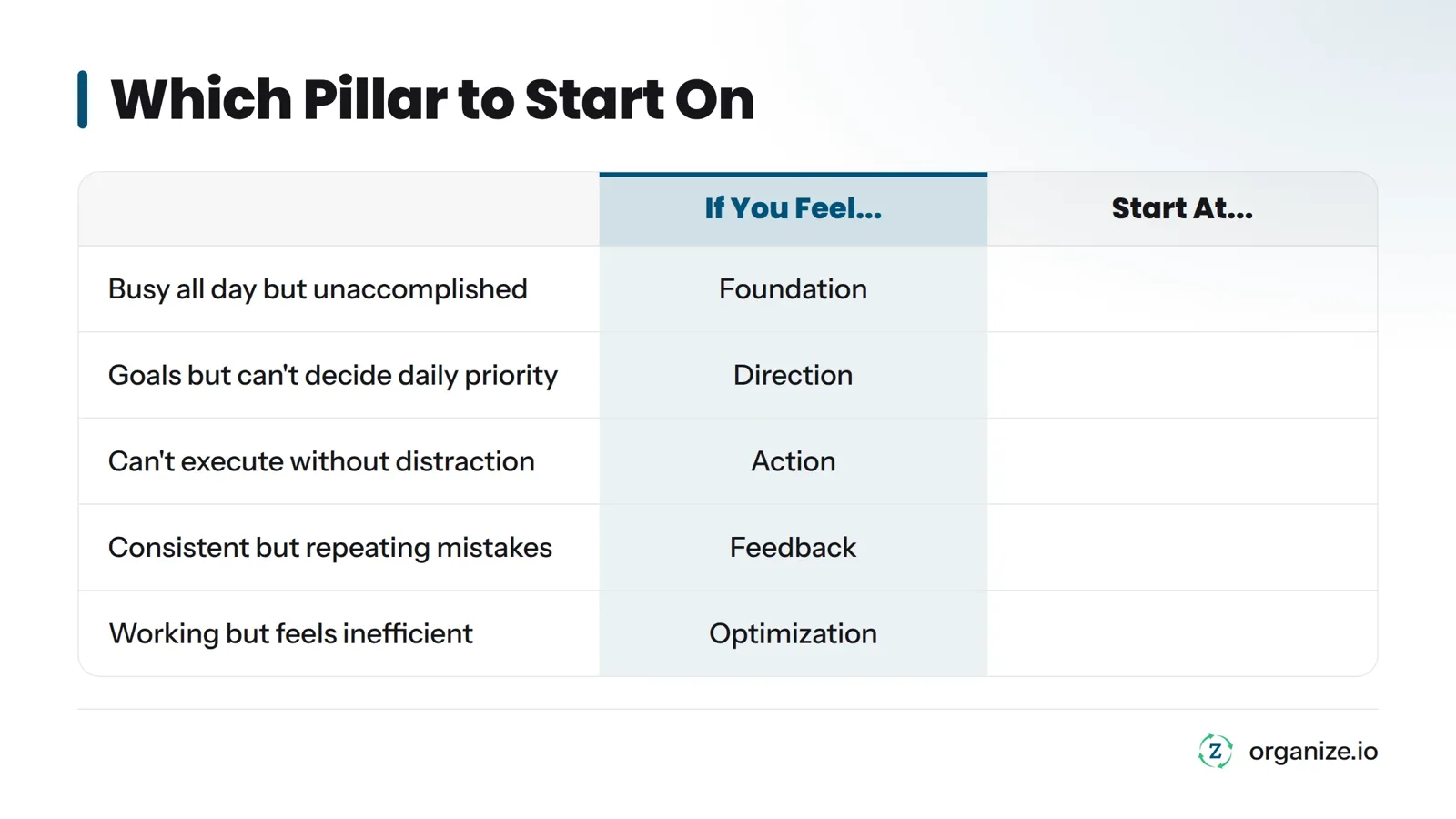
| If you feel… | You’re stuck at… | Start here |
|---|---|---|
| Busy all day but can’t say what you accomplished | Foundation | Get honest about what you actually want before touching your task list |
| You have goals but can’t decide what to do first each day | Direction | Set one clear daily priority, not five |
| You know your priority but can’t execute without getting distracted | Action | Pick one focus technique and commit to it for a week |
| You’re consistent but keep repeating the same mistakes | Feedback | Start a weekly review, even a five-minute one |
| Things are working but feel inefficient | Optimization | Refine timing, tools, and habits, not your goals |
If you’re overwhelmed but technically “busy” most days, that’s almost always a Foundation or Direction problem dressed up as a time management problem. Adding another app at that stage just adds noise.
The full sequence, with worksheets and daily structure, is what I built into the Zorga system. It’s the same five pillars, with the Compass, Daily Action Plan, and Weekly Review as the tools that carry you through each step.
Frequently Asked Questions
What is the fastest way to be more productive?
Pick one priority for today, write it down before you open your inbox, and protect one block of time to work on only that. Speed comes from cutting the number of things competing for your attention, not from a faster technique.
Why do productivity techniques stop working after a few weeks?
Most techniques are tactics, not direction. They help you execute faster, but if what you’re executing was never tied to a real goal, the technique just makes disorganized work feel more organized for a while.
Which productivity technique should I start with?
Start with whichever one matches the task in front of you, but only after you’ve set a clear direction. Time blocking works for deep, uninterrupted work. The Pomodoro Technique works for tasks you keep avoiding. Neither fixes a direction problem.
Do I need an app to be more productive?
No. A notebook and an honest answer to “what actually matters this week” will outperform any app used without direction. Tools like Zorga help once you know your priorities, by keeping Foundation, Direction, Action, and Feedback connected instead of scattered across five different apps.
What’s the difference between busywork and real priority work?
Busywork is activity you can measure, like emails answered or meetings attended, that may not connect to anything you actually care about. Priority work is the smaller set of tasks tied directly to a goal you chose on purpose.
How often should I review my progress?
Once a week, at a fixed time, for 10 to 15 minutes. Daily is too frequent to see real patterns. Monthly is too slow to catch problems before they compound.
Can I skip Foundation and Direction and just use techniques?
You can, and most people do, which is exactly why techniques stop working for them. Without Foundation and Direction, a technique just makes you a faster, more organized version of someone working on the wrong things.
Next Steps
Hard work was never the problem. Direction was. The techniques you’ve already tried - time blocking, Pomodoro, a sharper to-do list - are good tools. They just need a target.
Start small. Pick one honest answer to what you actually want this quarter. Rank it against everything else on your plate. Then pick a technique to execute it. Check your progress once a week. Adjust.
That’s the whole method, and it’s the same one I used to build and sell a company.
If you want the structure built for you instead of assembled from scratch, the Compass handles the Foundation and Direction work before you touch another task list. Try it this week and run the first three pillars for yourself.
Sources
Related: how to stop procrastinating, getting more done without longer hours, the direction-first productivity system behind these steps, define your direction in the Compass, try the 5 day action solution