
Productivity 11 min read
Time Blocking for Time Management: A Step-by-Step Guide
Learn how to build time blocking the right way: pull priorities from real goals, block your week first, then assign daily time blocks that actually stick.
Most people try time blocking by dumping their to-do list onto a calendar and hoping it sticks. By Wednesday the blocks are ignored and the list is right back where it started.
Time blocking for time management works when you build it in the right order: pull your top priorities from real goals, block the week before you block the day, then let the small stuff fill the gaps. That is the whole method. Here is how to run it.
What Time Blocking Actually Does (And How It Fits Time Management)
Time blocking assigns every important task a specific start and end time on your calendar instead of leaving it on an open-ended list.
A to-do list tells you what to do. It never tells you when. Without a “when,” your brain defaults to whatever feels urgent or whoever emails you first. A time-blocked calendar removes that decision. You already decided, in advance, when the work happens.
Time management is the bigger discipline: setting direction, choosing priorities, and deciding how your hours serve your goals. Time blocking is the execution layer underneath it. It turns a decision (“I will write the proposal this week”) into a scheduled commitment (“Tuesday, 9 to 11 a.m., proposal draft”). A task list with no direction behind it leaves you busy without moving anywhere. Time blocking fixes the scheduling half of that problem. Your priorities have to come from somewhere real, which is where the next step comes in.
Step 1: Pull Your Top Priorities From Your Goals
Before you touch a calendar, answer one question: what actually matters this week, and why?
Most people skip this and start blocking whatever is sitting in their inbox. That produces a calendar full of other people’s priorities. Work backward from your goals instead. If you are running a business, your goals might live in a quarterly plan. If you are managing a household and a career, they might be a short list of outcomes you wrote down last Sunday.
The process is the same:
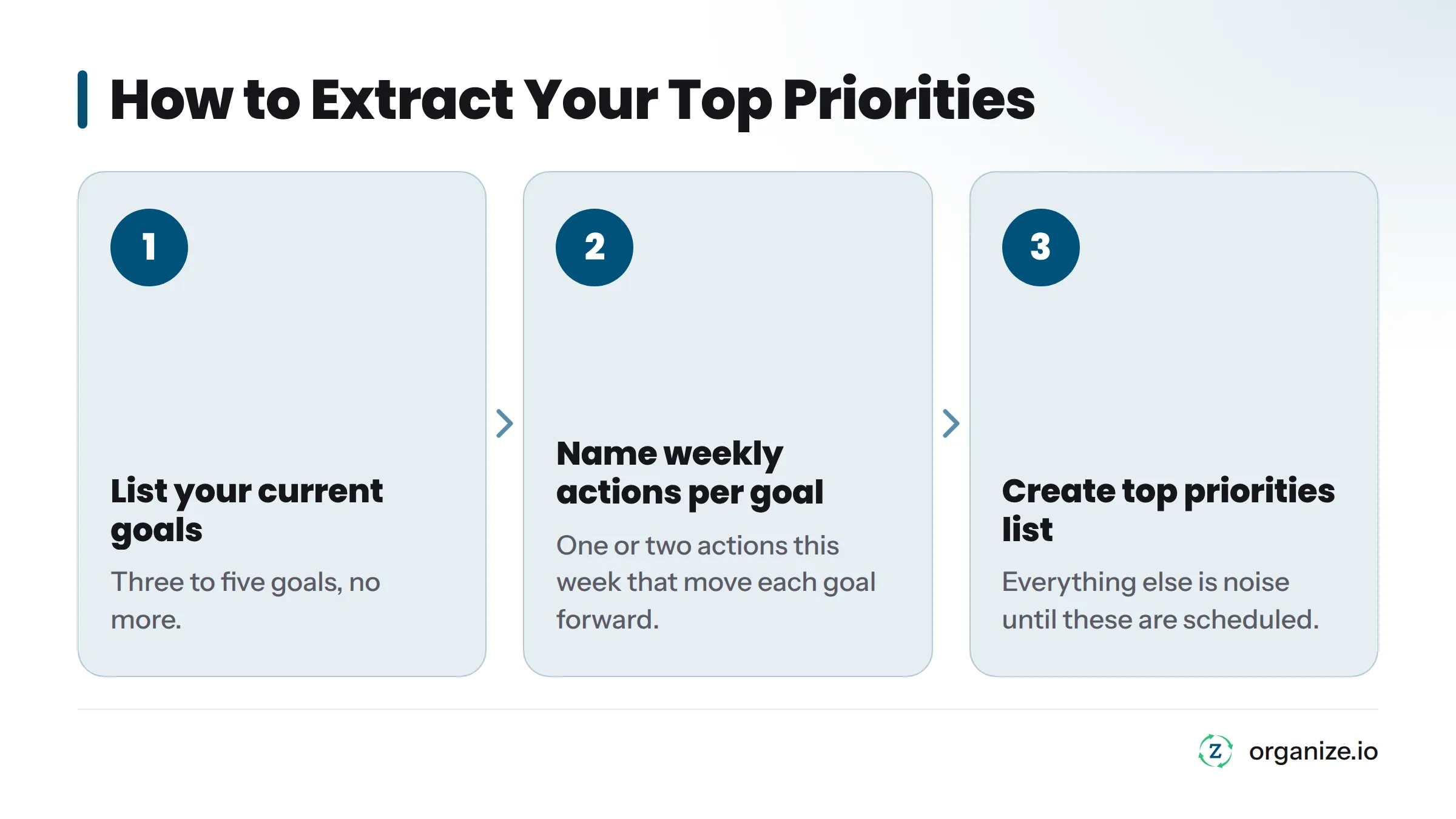
- List your current goals, three to five, no more.
- For each goal, name the one or two actions this week that move it forward.
- That short list is your top priorities. Everything else is noise until those are scheduled.
This step matters most when you are under pressure, because it is the step busy people skip. If you run a company or manage your own schedule with no one setting your agenda for you, this habit matters even more. Once your goals-to-priorities pipeline is solid, you are ready to build a schedule. This page assumes your priorities are already named and ready to place.
Step 2: Block Your Week Before You Block Your Day
You need a weekly skeleton before you plan a single day. Almost every time-blocking guide skips this, and it is why daily planning falls apart fast.
Recurring meetings, commitments, and deep work days all compete for the same hours. If you plan day by day with no weekly structure, you will overcommit on Monday and discover by Thursday that there is no room left for the priority that actually mattered.
Block your week in this order:
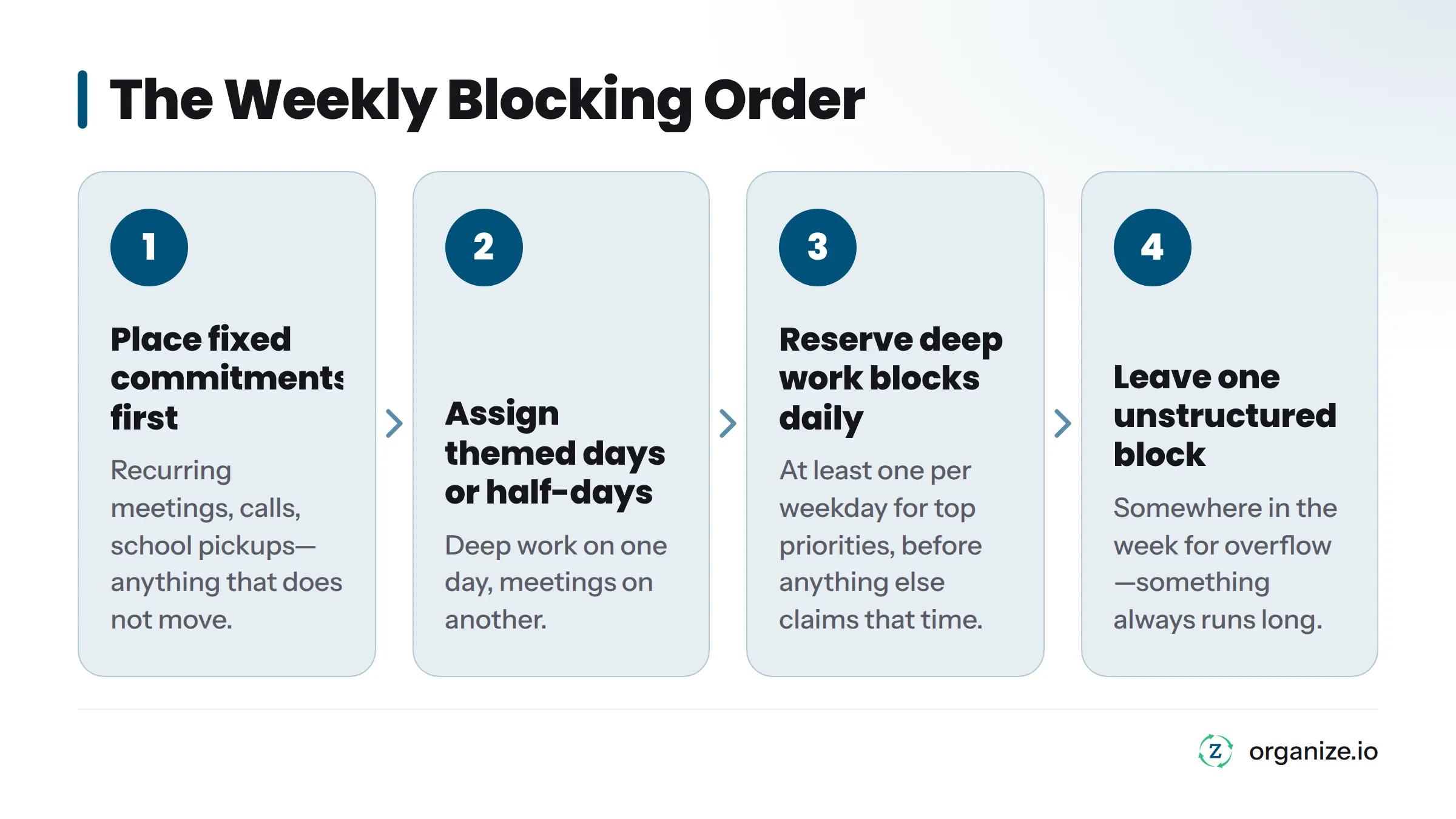
- Place fixed commitments first. Recurring meetings, calls, school pickups - anything that does not move.
- Assign themed days or half-days where possible. One day leans toward deep, focused work. Another handles meetings and calls. This lighter version of block scheduling is worth understanding on its own if you want to structure entire days around a single type of work.
- Reserve at least one deep work block per weekday for your top priorities, before anything else claims that time.
- Leave one unstructured block somewhere in the week for overflow. Something will run long. Something always does.
This weekly pass takes 15 to 20 minutes. Many people do it as part of a weekly review, looking back at what worked last week and resetting priorities for the next one. That rhythm - reviewing the week before planning the next one - is worth building into your routine permanently.
Step 3: Assign Time Blocks to Each Priority
With a weekly skeleton in place, fill it in with actual blocks. Match the block length to the task, not the other way around.
| Task type | Suggested block length |
|---|---|
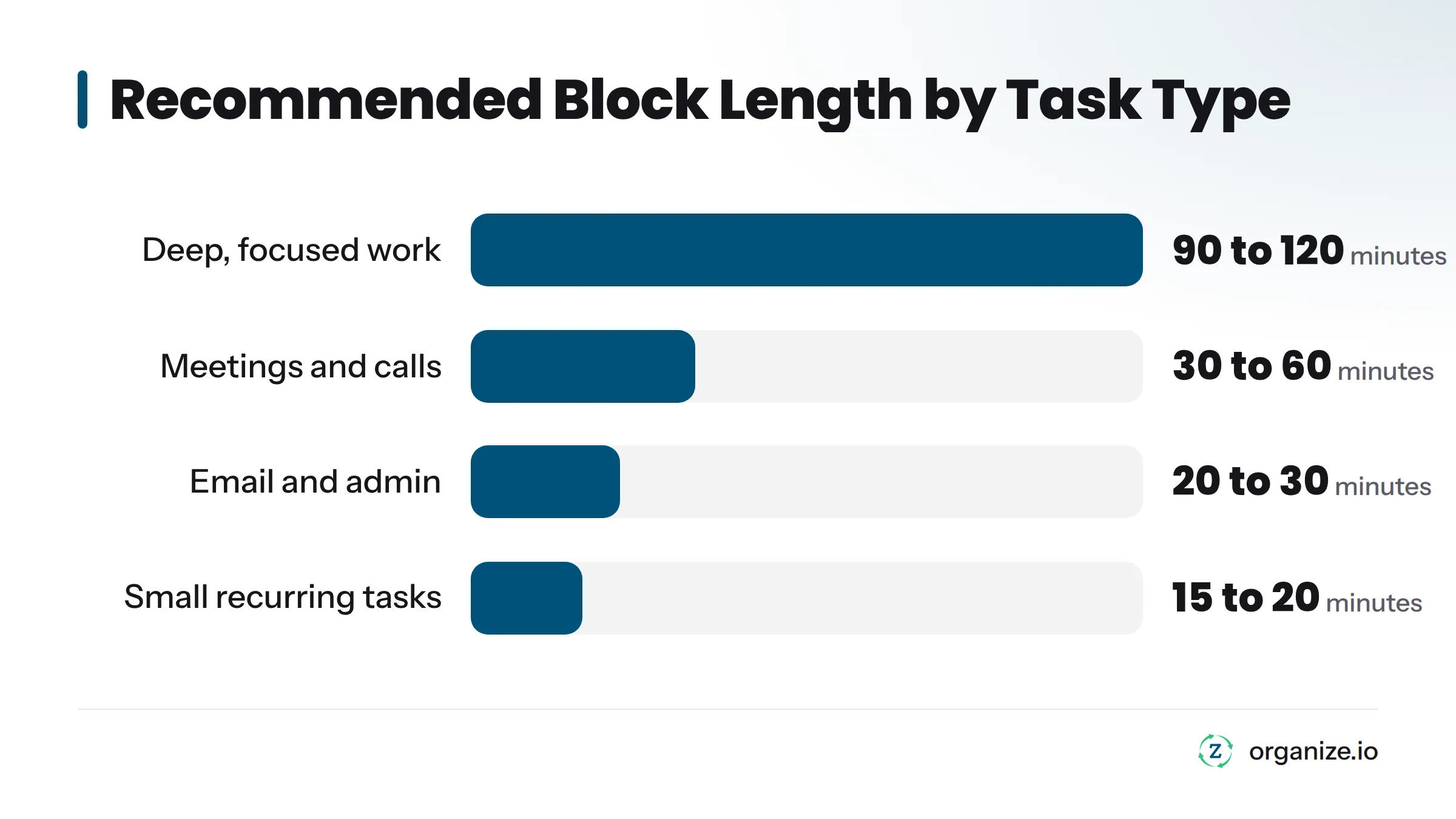
| Deep, focused work (writing, strategy, analysis) | 90 to 120 minutes |
| Meetings and calls | 30 to 60 minutes |
| Email, messages, admin | 20 to 30 minutes, batched |
| Small recurring tasks | 15 to 20 minutes, grouped together |
That last row points to task batching: grouping small, similar tasks into one block instead of scattering them across the day. Five separate 10-minute interruptions for email cost you more than one 40-minute email block, because every switch back to deep work takes time to rebuild focus. That cost has a name: context switching. It is one of the biggest reasons time-blocked schedules quietly fail.
Your deep work blocks deserve the strongest protection on the calendar. These are the hours assigned to your top priorities, and they are the first thing meetings will try to steal. Treat them like a fixed appointment. Protecting deep work blocks from encroachment is the single biggest point of failure once a schedule is built.
Buffer time, explained: Buffer time is unscheduled space you deliberately leave between blocks, usually 10 to 15 minutes, to absorb overruns, handle a quick follow-up, or just reset before the next task. A calendar with zero buffer time breaks the first time a meeting runs five minutes long.
Step 4: Let Your Daily Action Plan Fill in the Gaps
Once your priority blocks and buffer time are set for the day, smaller tasks, habits, and errands still need a home. This is where a Daily Action Plan does its job.
The Daily Action Plan pulls from your goals and your Top of Mind list and helps you place smaller, flexible tasks into the open spaces left after your priority blocks are locked in. Big rocks go on the calendar first, as scheduled blocks tied to real priorities. Smaller, more flexible tasks get slotted in around them, not the other way around. This opposite order from how most people work is a big part of why a raw to-do list on its own never produces a workable day.
This matters because the tool should follow the plan, not replace it. A task manager with no direction behind it just gives you a longer list to feel guilty about. A Daily Action Plan fed by real priorities gives you a day you can actually execute.
Sample Time-Blocked Day and Week
These tables are one example, not a universal template. Your blocks depend on your job, your goals, and your own energy patterns throughout the day. Use the structure, not the exact hours.
Sample time-blocked day
| Time | Block |
|---|---|
| 6:30 - 7:00 a.m. | Morning routine, no screens |
| 7:00 - 7:20 a.m. | Plan My Day: review priorities, confirm blocks |
| 7:30 - 9:30 a.m. | Deep work block: top priority project |
| 9:30 - 9:45 a.m. | Buffer |
| 9:45 - 10:30 a.m. | Meetings or calls |
| 10:30 - 11:00 a.m. | Batched email and messages |
| 11:00 a.m. - 12:30 p.m. | Second priority block |
| 12:30 - 1:15 p.m. | Lunch, away from desk |
| 1:15 - 3:00 p.m. | Meetings, collaborative work |
| 3:00 - 3:15 p.m. | Buffer |
| 3:15 - 4:30 p.m. | Batched small tasks and admin |
| 4:30 - 5:00 p.m. | Shut Down: review the day, reset tomorrow’s blocks |
Sample time-blocked week
| Day | Morning theme | Afternoon theme |
|---|---|---|
| Monday | Weekly planning, deep work on top priority | Meetings and team check-ins |
| Tuesday | Deep work block, no meetings | Client or customer work |
| Wednesday | Deep work block | Admin, batched email, errands |
| Thursday | Meetings and collaborative work | Second priority project |
| Friday | Finish priority tasks | Weekly Review, plan next week |
A founder running their own schedule without a team to protect their calendar usually has to be more aggressive about this than an employee. I keep two full mornings a week completely free of meetings for deep, uninterrupted work on whatever the top priority is that week, because if I do not block it first, something else always claims it. That is not a universal number. It is what works for the amount of deep work my role requires right now. Your version might be one morning, or three afternoons. The principle stays the same: name the priority first, then protect the time on the calendar before anything else can take it.
Common Time Blocking Failure Points (And Fixes)
Time blocking does not fail because it is a bad method. It fails because of a handful of predictable mistakes, almost all of them fixable.
| Failure point | Why it happens | Fix |
|---|---|---|
| Underestimating task length | People plan for best-case speed, not real speed | Track how long tasks actually take for two weeks, then plan from that data |
| No buffer time | Every block is scheduled back to back with zero margin | Add 10 to 15 minutes of buffer after any block likely to run long |
| Overscheduling the day | Every open hour gets filled, leaving no room to breathe | Leave at least one unstructured block per day for overflow |
| Context switching between unrelated blocks | Jumping from deep work to email to a call and back fragments focus | Batch similar tasks together and group shallow work into fewer blocks |
| Letting meetings eat deep work blocks | Deep work blocks are not treated as real appointments | Mark deep work blocks as busy on your calendar and decline conflicting invites |
If your schedule falls apart on a given day, do not scrap the whole system. Look at what actually happened, adjust tomorrow’s blocks accordingly, and move on. A Shut Down routine at the end of the day is a good place to catch this before it compounds into a lost week.
Here is a short video that walks through the right way to approach time blocking: https://www.youtube.com/watch?v=x9K80nyTltU
Time Blocking vs. Related Methods
Time blocking often gets confused with a few neighboring methods. Here is the short version of how they differ.
| Method | What it is |
|---|---|
| Time blocking | Assigning specific calendar hours to priorities and tasks, planned in advance for the day or week |
| Timeboxing | Setting a fixed time limit for a single task, then stopping when the limit hits, regardless of whether the task is finished |
| Block scheduling | A broader version of time blocking where entire days or half-days are dedicated to one type of work, like “no-meeting Wednesdays” |
| Deep work | A state of distraction-free concentration on cognitively demanding work, a concept popularized by computer science professor Cal Newport in his writing on focus and productivity |
Newport’s work on deep work is one of the more credible references in this space because it treats focused time as something you have to schedule and defend, not something that happens by accident. That is the same logic behind protecting deep work blocks inside a time-blocked calendar: the block only works if you treat it as non-negotiable.
Frequently Asked Questions
What is time blocking in simple terms? Time blocking means giving every important task a specific start and end time on your calendar instead of leaving it on an open-ended list. You decide in advance when the work happens.
How is time blocking different from a to-do list? A to-do list tells you what needs to get done. Time blocking tells you when each task happens. A list with no schedule behind it leaves your day open to whoever or whatever shows up first.
How long should a time block be? Deep work blocks usually run 90 to 120 minutes. Meetings and calls fit in 30 to 60 minutes. Small, similar tasks should be batched into one 15 to 30 minute block instead of scattered across the day.
How much buffer time should you leave between blocks? Leave 10 to 15 minutes of buffer time after blocks that are likely to run long, especially before meetings or deep work sessions. A calendar with no buffer breaks the moment one task runs over.
Why does time blocking fail for most people? It usually fails for one of four reasons: underestimating how long tasks take, leaving no buffer time, overscheduling every hour with no room to breathe, or letting meetings repeatedly take over protected deep work blocks.
What is the difference between time blocking and timeboxing? Time blocking assigns calendar hours to tasks and priorities in advance. Timeboxing sets a hard time limit on a single task and stops working when the limit hits, whether or not the task is done. Time blocking is about scheduling the day. Timeboxing is about constraining one task.
Can time blocking work for people with unpredictable schedules? Yes, but it needs more buffer time and fewer back-to-back blocks. Build the week around fixed commitments first, protect one or two deep work blocks that can flex if needed, and leave extra unstructured time to absorb surprises.
How does a Daily Action Plan fit into a time-blocked day? Priority blocks and deep work go on the calendar first, built from your top priorities. A Daily Action Plan then fills the remaining open time with smaller tasks and habits, so the day stays built around what matters most instead of the longest list.
Bringing It Together
Time blocking works when it is built in the right order: goals set your direction, priorities get pulled from those goals, the week gets blocked before the day, and only then does a Daily Action Plan fill in the smaller tasks around the priorities you already protected. Skip the order and you get a calendar full of someone else’s agenda. Follow it and you get a day that actually reflects what you said mattered.