
Productivity November 22, 2026
PARA Method: What It Is and How to Use It
Tame digital clutter with the PARA method: Projects, Areas, Resources, Archives. Learn the four categories and how to set them up step by step.
Productivity 9 min read
Learn the 4-layer method to build a personal operating system: set direction, choose life areas, build daily action, and add a review loop.
If you searched “how to design an operating system” expecting details about kernels and memory management, you’ve landed in the right place anyway - just not the technical one.
This is about designing a personal operating system: the direction, structure, and daily habits that run your days instead of letting days run you. It’s the foundation that lets you work hard on what actually matters.
Here’s the method in one sentence: set your direction, choose your life areas, build daily action, add a review layer, test it in a 90-day sprint, then adjust.
That sequence is the whole system. It needs no app, no course, no retreat. It needs you to sit down and do the steps in order - because order is what most people get wrong.
A personal operating system is a structure that runs your decisions, your time, and your habits as one connected whole. It’s not a to-do list.
A to-do list holds tasks. A system holds direction, decides which tasks deserve your time, schedules them into your actual days, and checks itself on a schedule to see if it’s working.
That last part is what almost everyone skips. Without a feedback loop - information about what’s working flowing back into the system to change what happens next - a personal system is just a plan you wrote once and forgot.
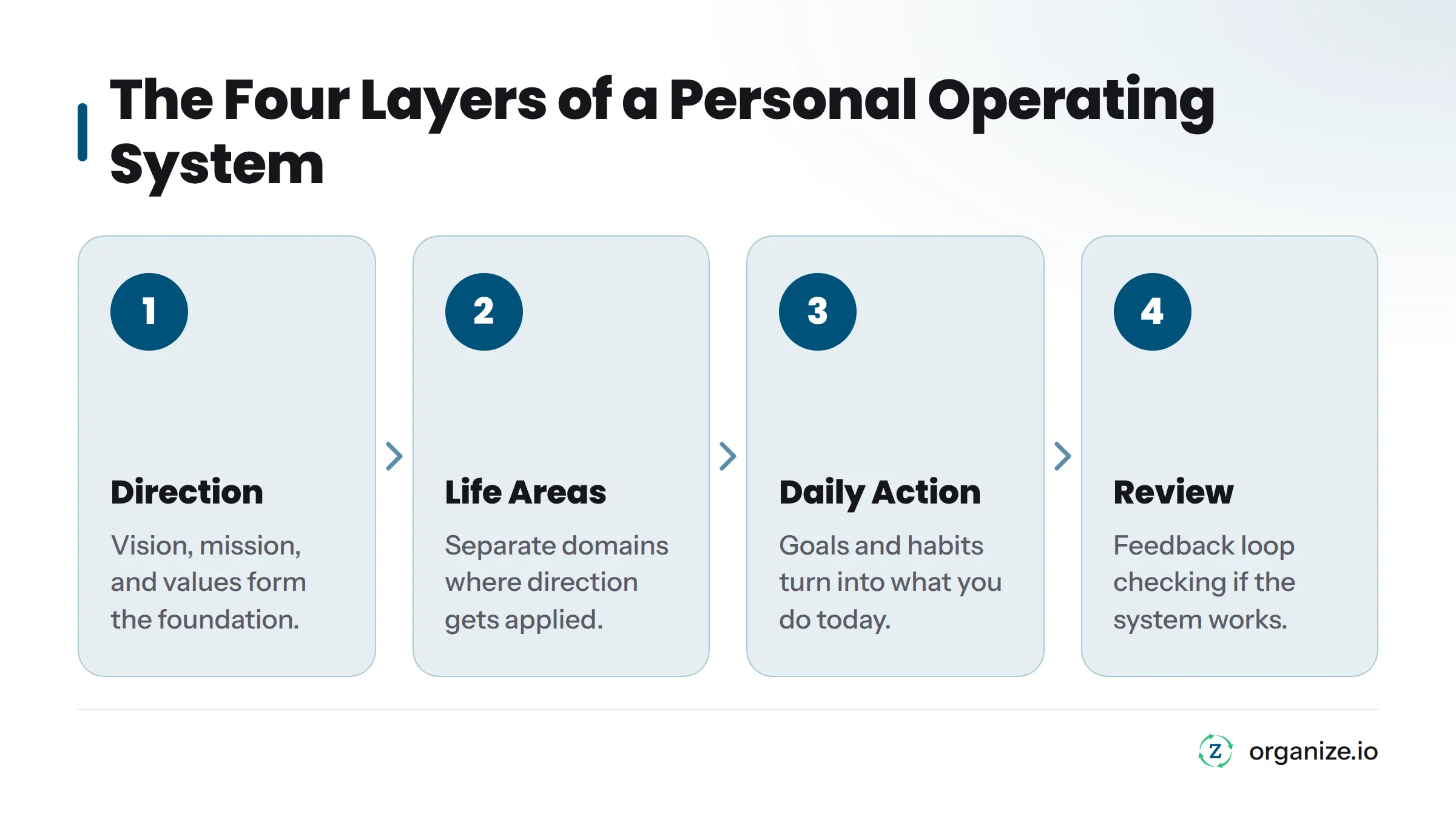
Your operating system has four layers:
Each layer depends on the one before it. Skip one and the whole thing wobbles.
Direction means three things: your vision (where you’re headed), your mission (what you’re doing about it), and your values (the standards you won’t compromise on the way there). Write these down in plain language before you open a planner, app, or notebook for daily to-dos.
Here’s what direction looks like in practice:
A vision might be: “Run a profitable consulting business from two cities without working weekends.”
A mission might be: “Build one new client relationship every quarter through referrals, not cold outreach.”
A value might be: “I don’t take on projects that require me to lie to clients about timelines.”
Three sentences. No vague language. Each one is specific enough that on any given day, you can tell whether a decision moves you toward it or away from it.
Most productivity advice skips this step and jumps straight to time-blocking or habit trackers. That’s backwards. A perfectly organized calendar with no direction behind it just helps you get more of the wrong things done faster.
I’ve watched this happen inside my own company before we fixed it, and I’ve watched it happen with people who adopt a new app every few months hoping the app will supply the direction they never defined for themselves. It never does.
Don’t start with apps. Start with direction.
For a step-by-step process for building vision, mission, and values, the Compass tool exists for exactly this layer - built for the moment when you’re ready to write direction down and keep it visible.
Direction stays abstract until you apply it to specific areas of your life. Think of life areas as the separate processes your operating system runs at the same time: career, health, finances, relationships, personal growth.
Each area gets its own goals, but all of them trace back to the same direction you set in Step 1.
You don’t need to work every area at once, and you don’t need an exhaustive list to start. Pick the three or four areas that matter most right now. If your vision is about building a business without sacrificing your health, your areas might be career, health, and finances, with everything else on a lower priority for this season.
This step is about choosing, not about mastering every category on day one.
This is where the system stops being a document and starts being a routine. The daily action layer takes the goals you set for each life area and turns them into specific things you do today, tomorrow, and the day after.
Three terms often get used interchangeably but mean different things in a working system:
| Term | What it is | Example |
|---|---|---|
| Goal | A specific, measurable outcome with a deadline | “Close $50,000 in new contracts by the end of Q1” |
| Habit | A repeated behavior with no fixed end date | “Spend 30 minutes on outreach every weekday morning” |
| Task | A one-time action that moves a goal forward | “Send the proposal to the client by Friday” |
A system needs all three. Goals without habits stay abstract. Habits without goals become busywork with no clear point. Tasks without either become the scattered list most people are already drowning in.
For each life area, decide what one habit and what short list of tasks will move that area forward today. The Daily Action Plan turns the week’s priorities into a short, ordered list you can actually execute instead of a long list you scroll past.
A system without review is a system that quietly breaks down. Review is the feedback loop: the point where you check what worked, what didn’t, and what needs to change before you repeat the cycle.
Two cadences matter.
A weekly review looks back at the last seven days and resets priorities for the next seven. An annual review zooms out further, checking whether your direction itself still holds or needs revising.
Skip the weekly review and small problems compound. Skip the annual review and you can execute a system perfectly for a year while chasing a direction that no longer fits your life.
This is the layer that separates a real system from a burst of motivation in January that fades by March.
Once all four layers exist - direction, areas, daily action, and review - you need to know whether they actually work together. A 90-day sprint does that job. Ninety days is long enough to see a pattern, short enough that a bad assumption doesn’t cost you a year.
Run the system as designed for the full stretch. At the end, you’ll know which parts held up and which need rebuilding. Maybe your review cadence was too ambitious and you only managed it every other week. Maybe one life area needed more daily attention than you gave it. That’s useful information. It’s exactly what the sprint is designed to surface.
Inside the 30-day implementation window, the order matters as much as the content. Direction gets set in the first few days. Daily action and review get layered in afterward, never the other way around.
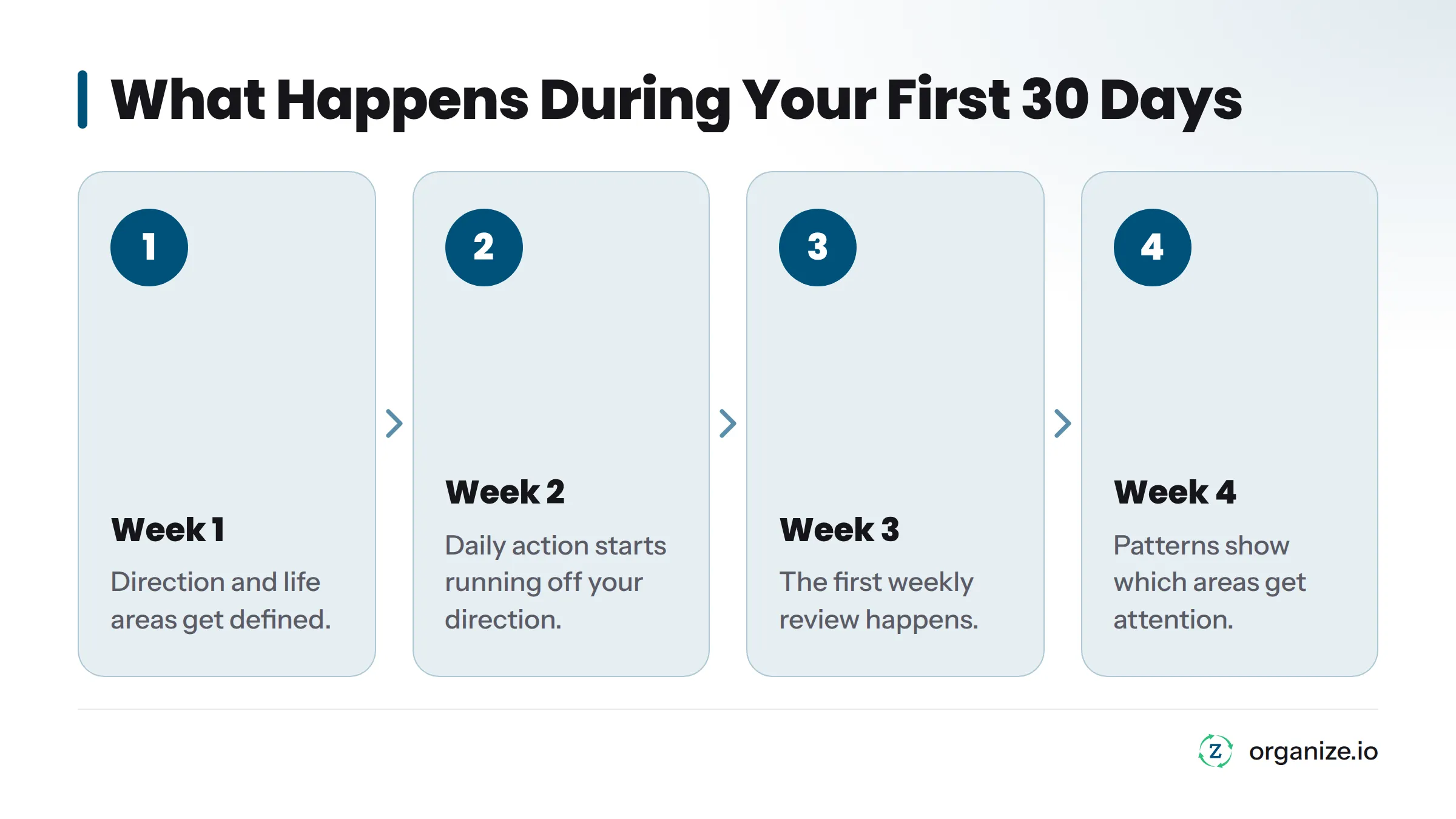
What follows is what tends to happen during those weeks for people running the system:
Week 1: Direction and life areas get defined. This feels like setup, not productivity, and that’s normal.
Week 2: Daily action starts running off the direction you set, instead of off whatever feels urgent that morning.
Week 3: The first weekly review happens. Expect it to feel slightly awkward the first time.
Week 4: Patterns start showing up. You can see which life areas are getting attention and which are being neglected.
By the second and third week, the daily action layer starts feeling automatic because decisions about what to work on were already made in advance instead of being re-litigated every morning. By week four, the review habit either sticks or it doesn’t - and that’s usually the clearest signal of whether the whole system will hold.
Most people don’t fail at this because the steps are hard. They fail because they do the steps out of order or skip one entirely.
Starting with tools instead of direction. A new app cannot supply direction you haven’t defined. It will just organize the wrong priorities more neatly.
Treating the system as a one-time setup. A system you build once and never revisit is a plan, not a system. The review layer is what keeps it alive.
Skipping the review layer. This is the single most common shortcut, and it’s why systems quietly stop working within a few months.
Copying someone else’s system. A system built around someone else’s values and goals won’t hold up under your actual life because the direction underneath it isn’t yours.
How is a personal operating system different from a to-do list?
A to-do list holds tasks with no built-in connection to your direction or feedback loop to check if those tasks matter. A personal operating system connects direction, life areas, daily action, and review so that every task traces back to a reason and gets checked on a schedule.
What should come first: goals or routines?
Neither. Direction comes first. Goals and routines are built on top of direction. Without it, both tend to drift toward whatever feels urgent instead of what actually matters.
How many life areas should your system include?
Start with three or four that matter most right now rather than trying to cover every area of life at once. You can expand later.
How often should you review your operating system?
Weekly, at minimum, with a deeper annual review once a year to check whether your direction itself still fits. The weekly review catches small problems. The annual review catches the big one: working a system aimed at the wrong target.
How long does it take to design a personal operating system?
The four layers can be sketched in a single sitting of an hour or two. Running it well enough to trust it typically takes the full 30-day window, with a 90-day sprint to properly test it.
Can you design a personal operating system without an app?
Yes. The method works with a notebook and a calendar. An app makes the review and daily action layers easier to maintain consistently, but the method itself doesn’t require software.
How is this different from a computer operating system?
A computer operating system manages hardware resources and memory for a machine. A personal operating system manages your direction, time, and attention for a life. The metaphor is useful because both involve layered structure and feedback, but the content and purpose are completely different.
The six steps above are the build sequence. I built this structure after running this exact process myself while scaling and eventually selling an Inc. 5000 company, where the gap between having goals and having a working system became obvious fast. Goals without a daily action layer and a review loop don’t survive a busy week.
The Zorga System course maps these six steps directly into six modules: Foundation, Direction, Action, Feedback, Optimization, and Implementation. The course takes a couple of hours to learn, then about 15 minutes a day for 30 days to install. Every lesson ends with one action.
The app is where you practice the system every day. It includes the Compass for direction, the Daily Action Plan for execution, and the Weekly Review for feedback. It also has a customizable Dashboard, a Daily Brief email each morning, reusable Systems for routines, Notes, Calendar with import, and an AI Coach trained on the system and your own goals.
You can design the system yourself with a notebook. It works. It’s also slower, and it’s easier to abandon when week three gets busy and nobody is checking whether you kept up the review. That’s the gap this system was built to close.
Start your 7 free days: https://www.organize.io/#pricing
Related: life operating system, choose which life areas to include, build the daily routine layer, test it with a 90-day sprint
Productivity November 22, 2026
Tame digital clutter with the PARA method: Projects, Areas, Resources, Archives. Learn the four categories and how to set them up step by step.
Productivity November 19, 2026
Learn how to build time blocking the right way: pull priorities from real goals, block your week first, then assign daily time blocks that actually stick.